
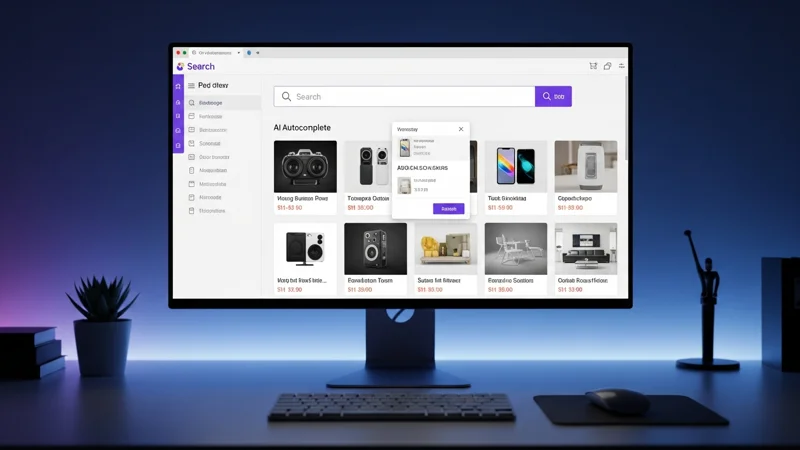
Your ecommerce search bar is not just a text field — it is the most effective salesperson in your store. Shoppers who search already have clear intent, and if your site fails to deliver fast, relevant results, that customer lands on a competitor's page within three seconds. In this comprehensive guide we break down why optimizing internal search is the highest-ROI investment you can make in 2026, what mistakes cost the most, and the 10 best practices that separate market leaders from everyone else.
Whether you run a niche store with 500 SKUs or a marketplace with hundreds of thousands of products, the principles in this article apply universally. We have distilled them from the analysis of hundreds of ecommerce sites, academic research, and aggregated industry data. The goal is to give you a clear, actionable roadmap — from the fundamentals all the way to the frontier technologies of 2026.
Why Ecommerce Search Is Your Highest-ROI Investment
The numbers are unambiguous. Search users account for roughly 30% of traffic on a typical ecommerce site, yet they generate between 40% and 60% of total revenue. The reason is straightforward: people who search already know what they want to buy. They have moved past the discovery phase, they have a specific intent, and all they need is for your site to help them complete the purchase as quickly as possible.
Search users convert at 2-3x the rate of category browsers. On Amazon the gap is even wider: 12% versus 2%, a 6x multiplier.
They don't just convert more often — they spend more per order. Average order value (AOV) for search users runs 15-25% higher than for casual browsers. This makes sense when you consider the nature of search: someone typing a query often has a mental shopping list, not a vague intention to browse.
Yet only 15% of retailers allocate dedicated resources to search optimization. Most invest in advertising, SEO, site design — all legitimate investments — but ignore the most powerful lever they already have at their disposal. That means anyone who invests in search gains an outsized competitive advantage in an area where almost nobody competes. The field is wide open, and the rewards are disproportionate to the effort.
Consider this scenario: if your store generates $100,000 per month and 50% comes from search users, a 20% improvement in search conversion rate translates to $10,000 in additional monthly revenue. Without spending a single extra dollar on ads. Unlike paid acquisition, where every additional customer costs more, search optimization is a fixed investment with compounding returns: the better your search performs, the more value you extract from every visitor you already have.
There is also a compounding knowledge effect. Every search query is a data point — a direct signal from your customers about what they want, how they describe it, and what language they use. The retailers who capture and analyze this data gain insights that improve not just search but also product descriptions, category structure, advertising copy, and inventory planning. Search becomes the nerve center of customer intelligence.
To understand how artificial intelligence is amplifying these numbers, read our article on how AI search boosts conversions.
The True Cost of Bad Search
Unoptimized search is not merely a missed opportunity — it is an active, measurable revenue leak. Industry data shows that 10-20% of on-site searches return zero results. When a shopper hits a dead end, 81% leave the site entirely. They don't try another query, they don't browse categories: they leave.
The damage extends well beyond the current session. 82% of shoppers who have a poor search experience never come back. You are not losing one sale — you are losing that customer's lifetime value. If your average customer lifetime value is $200, every search-driven abandonment costs far more than a single missed order.
72% of ecommerce sites fail to meet user search expectations (Baymard Institute, 2024). 41% fail on basic queries involving typos and synonyms.
These numbers become even more striking when you consider what they mean in practice. 41% of sites cannot show "Adidas" when the user types "addidas." A single mistyped character is enough to make an entire catalog invisible. And we are not talking about complex queries here — we are talking about the basics.
How much is this costing you? Let's do the math:
| Parameter | Value |
|---|---|
| Monthly searches | 20,000 |
| Zero-result rate | 10% |
| Search conversion rate | 5% |
| Average order value | $80 |
| Revenue lost per month | $8,000 |
The formula is simple: monthly searches × zero-result rate × conversion rate × AOV = lost revenue per month. Plug in your own numbers and the result will likely be higher than you expect. Many mid-sized ecommerce stores discover they are losing between $5,000 and $30,000 per month simply because of inadequate search.
But there is a hidden cost that is even more insidious: the erosion of brand trust. A user who cannot find what they are looking for does not think "this site has a bad search engine" — they think "this store does not carry what I need." The perception of a thin catalog is far more damaging than a visible technical glitch.
For a deeper look at how your platform's default search engine may be hurting you, read why default search costs you sales.
10 Ecommerce Search Optimization Best Practices
Let's move from theory to action. Here are the 10 concrete steps that distinguish exceptional search from mediocre search. We have ordered them from easiest to implement to most advanced, so you can start immediately regardless of your current technical maturity.
1. Make the Search Bar Prominent
It sounds obvious, yet it is the first point of failure for many stores. The search bar should sit top-center or top-right, with a wide input field that is always visible — not hidden behind a magnifying-glass icon that requires an extra click. Use inviting placeholder text like "Search products, brands or categories..." and always pair the field with the magnifying-glass icon, the universal symbol for search.
On mobile the search bar should be accessible within a single tap from the homepage. If the user has to scroll or open a hamburger menu to find it, a significant percentage will never use it. Some of the most successful ecommerce sites make the search bar the dominant element of their mobile homepage, spanning nearly the full screen width. The effect is immediate: more users search, more users convert.
Another often-overlooked aspect is persistence: the search bar should remain visible throughout the browsing experience, not just on the homepage. Users may decide to search at any moment — while browsing a category, reading a product page, or scrolling through results. If they have to navigate back to the homepage to search, you lose them.
2. Implement Intelligent Autocomplete
Autocomplete is not a luxury — it is a conversion multiplier. A well-designed autocomplete system displays suggestions with product thumbnails, prices, and category labels, guiding the user toward the right result before they even finish typing. The benefit is twofold: it reduces search time and prevents typos.
Effective autocomplete can boost conversion rates by up to 24%.
Speed is critical: suggestions must appear within 100 milliseconds of the keystroke. Beyond that threshold users perceive a lag and stop trusting the suggestions. Best practices include: displaying a maximum of 6-8 suggestions, highlighting the portion of text that matches the query, and grouping results by type (products, categories, content).
The most advanced autocomplete goes beyond simple text completion. It shows a mini-result for each suggestion: product image, title, price, and availability. The user can decide to purchase directly from the dropdown without ever loading the full results page. This conversion "shortcut" is especially effective for repeat purchases and for users who know exactly what they want.
One more detail: autocomplete should also suggest categories, brands, and popular queries — not only individual products. A user typing "run" should see suggestions like "Running shoes," "Running apparel," and specific product results all at once. This multi-type approach helps users who are still refining their intent, and it subtly educates them about the breadth of your catalog.
3. Handle Typos, Synonyms, and Slang
Your customers do not speak the language of your product catalog. Someone searching for "sneakers" expects the same results as someone typing "trainers" or "running shoes." 25% of mobile queries contain typos, and 41% of ecommerce sites fail on exactly these fundamentals.
An effective search engine must incorporate: fuzzy matching to tolerate typos ("addidas" → "adidas"), a synonym dictionary that is updated regularly, and the ability to interpret colloquial language and industry abbreviations. Without these capabilities every typo equals a lost customer.
The synonym problem is especially acute for international stores where multiple languages, loanwords, and regional slang coexist. A user might search for "couch," "sofa," "settee," or "loveseat" meaning essentially the same thing. Your search engine needs to recognize all of these variants and map them correctly. Maintaining the synonym dictionary is not a one-time activity: it requires regular updates based on analysis of actual user queries. The best approach is to review zero-result and low-CTR queries weekly and add new synonyms as patterns emerge.
4. Eliminate Zero-Result Pages
The "No results found" page is the most expensive dead end on your site. Every time a user sees it, the probability of abandonment spikes. The goal is to drive the zero-result rate below 5%.
When zero results are unavoidable, turn the page into an opportunity: show alternative products, related categories, trending items, and a spelling suggestion ("Did you mean...?"). Most importantly, log every single zero-result query. Those logs are a gold mine — they tell you exactly what customers are looking for and not finding.
Zero-result queries fall into three categories: products you carry but search cannot find (an indexing or synonym problem), products you do not carry but customers want (a catalog expansion opportunity), and irrelevant or spam queries (ignore these). Classifying and analyzing these queries weekly is one of the most profitable exercises you can perform for your ecommerce business. A fashion retailer, for instance, might discover that hundreds of users search for a specific brand it does not stock — a clear signal for a purchasing decision.
The zero-result page itself deserves design attention. Instead of a generic message, show a contextual response: "We could not find exact matches for [query], but here are some alternatives you might like." Include a curated selection of your best-selling items in related categories, a prominent "Contact us" option for hard-to-find products, and a visible search bar pre-filled with a corrected query. Some leading retailers also use the zero-result page to collect demand signals by adding a "Notify me when available" button.
5. Add Faceted Search and Dynamic Filters
After retrieving results, users need to refine them. Faceted search enables filtering by size, color, price range, brand, rating, and availability. Surprisingly, only 40% of ecommerce sites offer adequate faceted search.
Filters must be dynamic: they should display only the options that are available for the current result set, along with product counts for each value. A filter showing "Size S (0 products)" helps nobody; worse, it signals a thin catalog. Position filters on the left on desktop and in a collapsible panel on mobile, with the ability to apply multiple filters simultaneously without a page reload.
A common mistake is offering too many undifferentiated filters. The key is contextual relevance: for a shoe search, the most important filters are size, color, and price range. For electronics, they are brand, technical specs, and price. Filters should adapt to the product category, showing the most-used ones first. Analyzing filter click data will tell you which filters are genuinely useful and which are just taking up space.
6. Optimize for Mobile Search
65% of purchase moments happen on mobile, and 54.5% of holiday-season revenue comes from mobile devices. If your search is not optimized for small screens, you are ignoring the majority of your customers.
Mobile search requires: larger tap targets (at least 44x44 pixels), suggestions optimized for vertical layouts, support for shorter and more natural queries, and voice-search readiness. The keyboard should open automatically when the user activates search, and results must load without perceptible delay even on 4G connections.
A critical aspect is screen-space management. On mobile, search results need to show the essential information — image, title, price, availability — without forcing the user into infinite scrolling. Two-column grids work well for fashion and home decor, while single-column lists are preferable for electronics and products that require more textual detail. Test both layouts with A/B experiments for your specific audience.
Voice search deserves special attention in the mobile context. With smart assistants embedded in every phone, an increasing number of users search by speaking rather than typing. Voice queries tend to be longer and more conversational ("show me waterproof hiking boots under a hundred dollars") than typed queries ("waterproof hiking boots $100"). If your search engine can handle these longer, natural-language queries, you capture a growing segment of mobile shoppers that most competitors miss entirely.
7. Use NLP for Intent Understanding
Traditional keyword matching operates on words: it looks for exact matches in the catalog. Natural Language Processing (NLP) operates on meaning. A query like "lightweight laptop for students under $500" contains four distinct signals: product type, physical attribute, use case, and price constraint.
An NLP-powered engine decomposes the query, interprets each component, and returns results that satisfy all criteria simultaneously. This bridges the gap between the customer's natural language and the rigid structure of your catalog, dramatically reducing fruitless searches.
NLP also handles negation queries ("jacket without hood"), comparative queries ("smartphone better than iPhone"), and contextual queries ("dress for summer wedding"). Without NLP, these queries return results based on individual words, mixing hooded jackets into results for someone who specifically does not want one, or showing iPhone cases to someone looking for a competitor. Intent understanding transforms search from a mechanical index into a genuine shopping assistant.
Another valuable NLP capability is entity extraction. When a user types "red Nike running shoes size 10," NLP can extract: color (red), brand (Nike), product type (running shoes), and size (10) as structured attributes. These attributes can then be applied as automatic filters, dramatically narrowing the result set to exactly what the user wants — without requiring them to manually set four separate filters. This "zero-click filtering" is one of the most impactful UX improvements you can make.
8. Personalize Search Results
59% of consumers say personalization makes it easier to find products, and 48% spend more when the experience is personalized. Two users searching for "jacket" should see different results based on browsing history, past purchases, and implicit preferences.
Effective personalization includes: reranking results based on user history, recommendations driven by similar-buyer patterns, and remembering filter preferences (size, favorite brands). Transparency matters: users should understand why they see certain results and be able to reset personalization easily.
Personalization also has a retention effect. When an ecommerce site "remembers" your preferences — your size, your favorite brands, your usual price range — searching becomes faster with every subsequent visit. This creates a positive lock-in: switching stores means starting from scratch, and the convenience of a personalized experience becomes one more reason to stay. The most sophisticated loyalty programs integrate search personalization as part of the premium experience offered to their most active customers.
9. Leverage AI and Semantic Search
Semantic search represents a generational leap over keyword matching. It works by converting both user queries and product listings into numerical vectors (embeddings) via language models. Cosine similarity between vectors finds products that are conceptually relevant even when exact words do not match.
AI-powered search can increase conversion rates by up to 43%.
The most effective approach in 2026 is hybrid search: combining traditional keyword matching (fast, precise for SKUs and exact names) with vector search (powerful for natural-language queries). The result is a system that excels at both specific searches ("SKU-12345") and exploratory ones ("gift for a cooking enthusiast").
To understand the difference concretely, consider this comparison:
| Feature | Keyword search | Semantic search |
|---|---|---|
| Matching | Exact word correspondence | Conceptual similarity |
| Synonym handling | Requires manual dictionary | Automatic (learned by the model) |
| Natural-language queries | Poor | Excellent |
| SKU/code lookup | Excellent | Less precise |
| Speed | Very fast | More resource-intensive |
| Initial setup | Simple | Requires models and vector indexes |
The hybrid approach combines the best of both worlds. For precise queries (product codes, exact brand names), keyword matching takes precedence. For exploratory and natural-language queries, vector search leads. The balance between the two is automatically optimized based on query type.
10. Measure, Analyze, and Iterate
You cannot improve what you do not measure. Yet only 7% of retailers use search data to inform decisions. The essential KPIs to track are:
- Search conversion rate — benchmark: 4-6%. Below that, results are not relevant enough.
- Zero-result rate — target: under 5%. Every percentage point above that is lost revenue.
- Click-through rate from search results — measures whether results are enticing. High CTR means ranking is working.
- Exit-from-search rate — if the user searches and leaves, search has failed.
- Average time to conversion from search — shorter time means a better experience.
- Query refinement rate — if users frequently rephrase, initial results are not satisfying.
Analyze top queries, zero-result queries, and high-exit queries. Build a weekly process: every Monday, review the top 50 queries and the top 20 zero-result queries. This cycle of measure-analyze-iterate is what transforms adequate search into exceptional search. You do not need expensive tools: even Google Analytics, properly configured, can track site search and provide the baseline data to get started.
The AI Revolution in Ecommerce Search (2026)
The 10 best practices above form the foundation. But 2026 marks an inflection point: artificial intelligence is redefining what ecommerce search can accomplish. These are not incremental improvements — they represent a paradigm shift in how consumers interact with product catalogs online.
Multimodal search. Users no longer search with text alone. Visual search (upload a photo, find the product), voice search, and combined-input search are going mainstream. Imagine a user snapping a photo of shoes they spotted on the street and instantly finding them in your store, or telling their phone "find a jacket like the blue one I bought last year but in green." Retailers adopting multimodal search report conversion increases of up to 30%.
Conversational, intent-driven search. Large language models (LLMs) enable real-time query rewriting for maximum relevance. Users can ask natural questions like "I need a gift for my mom who loves gardening, budget $50" and receive curated results. The search engine does not simply look up "gift," "gardening," and "$50" separately: it understands the overall intent and filters, ranks, and presents results the way an expert store associate would.
Agentic commerce. The most advanced frontier: autonomous AI shopping assistants that do not merely show results but actively guide the purchase, compare options, negotiate, and complete checkout on behalf of the user. In 2026 we are seeing the first AI agents that monitor prices, wait for promotions, and purchase automatically when conditions are optimal. For retailers, this means the "customer" of the future may be an algorithm, and search must be optimized for machine-to-machine interactions as well.
GenAI referral traffic to ecommerce sites grew 1,200% year over year (Adobe, 2025). Shoppers arriving via GenAI convert 16% higher than those from traditional channels.
McKinsey estimates that generative AI will create between $240 billion and $390 billion in value for retail. This is not a future trend — it is happening now. Retailers who ignore this transformation risk ending up in the same position as those who, a decade ago, underestimated mobile commerce.
Predictive search. A less visible but equally powerful evolution is predictive search: systems that anticipate what a user will search for before they even begin typing, based on seasonality, market trends, personal history, and context (time of day, device, geographic location). A user opening your site at 8 AM on their phone in winter has different purchase probabilities than someone browsing from a desktop at 10 PM. Predictive search leverages these signals to pre-load results and suggestions, making the experience feel nearly instantaneous.
Search-driven merchandising. AI enables turning search into an active merchandising tool. Results can be reranked not just by relevance, but also by margin, warehouse stock levels, or business objectives — all transparently and without degrading the user experience. An overstocked product can receive a slight ranking boost in search, accelerating sell-through without resorting to aggressive discounting.
To learn which search features are non-negotiable this year, read must-have search features for 2026.
How to Choose the Right Search Solution
With dozens of solutions on the market, choosing can feel overwhelming. Here are the evaluation criteria that actually matter:
| Criterion | What to test |
|---|---|
| NLP quality | Run real queries from your niche, including synonyms and typos |
| Typo tolerance | Try "addidas", "nikee", "cashmier scarf" and check results |
| Autocomplete speed | Suggestions must appear within 100ms |
| Personalization | Different results for different users, with transparent logic |
| Analytics depth | Query dashboard, zero-result tracking, CTR, trends over time |
| Integration ease | REST/GraphQL API, SDK for your framework, time to go-live |
| Mobile performance | Test on real 3G/4G connections, not just office Wi-Fi |
| Scalability | Ability to handle traffic spikes (Black Friday, sales) without degradation |
| Multilingual support | Quality of language understanding for each target market |
Build vs. buy? Building an in-house search engine on Elasticsearch or Solr requires a dedicated team, months of development, and ongoing maintenance. For most ecommerce businesses, a specialized solution cuts implementation time from months to weeks and delivers advanced capabilities (AI, personalization, analytics) that would be prohibitively expensive to build internally.
The build-versus-buy decision depends on your catalog complexity and available resources. If you have a large engineering team, highly specific catalog requirements, and the time to iterate, building in-house gives you maximum control. In every other case — and this includes the majority of ecommerce businesses — a specialized SaaS solution offers a significantly better value-to-cost ratio, with the added benefit of continuous updates and aggregated learnings from thousands of implementations.
For a detailed breakdown of selection criteria, consult our complete guide to choosing an AI search engine. If pricing is a key factor, we also have a comparison of search pricing models (per-product vs. per-request).
HorusFinder was designed to address exactly these requirements: semantic search with advanced NLP, real-time autocomplete, typo tolerance, personalization, and an integrated analytics dashboard. If you are evaluating options, you can try it free and compare results against your current solution.
Conclusion: Search Is Your Hidden Competitive Advantage
Ecommerce search is not a technical detail to be delegated entirely to the development team. It is a strategic asset that directly impacts revenue, customer satisfaction, and the competitiveness of your online store.
Start with the fundamentals — search-bar visibility, typo handling, zero-result elimination — then evolve toward personalization, AI, and semantic search. Measure everything, iterate constantly, and remember: in a market where 72% of sites fail search expectations, every improvement you make moves you closer to the 15% of retailers that dominate conversions.
The roadmap is clear. Week 1: audit search-bar visibility and analyze your zero-result rate. Month 1: implement typo tolerance and synonyms. Month 2-3: add dynamic filters and autocomplete with thumbnails. Month 3-6: integrate AI, personalization, and advanced analytics. Every step on this roadmap has a measurable ROI, and the cost of doing nothing grows every day.
One final piece of advice: do not wait for the perfect solution. Every week that passes with unoptimized search is revenue left on the table. Even a partial improvement — fixing the 10 most common typos, adding the 20 most frequent synonyms — can have a significant impact in a very short time. Search optimization is not a project with an end date: it is an ongoing process that rewards those who start sooner and iterate more consistently.
Your customers are already telling you what they want, one query at a time. The question is: is your site listening?
Frequently Asked Questions
Ecommerce search optimization is the process of improving your online store's internal search engine so shoppers find relevant products faster. It encompasses autocomplete, typo tolerance, synonym handling, faceted filters, personalization, and analytics to maximize conversions from on-site search.
Shoppers who use site search convert at 2-3x the rate of those who browse categories, and their average order value is 15-25% higher. On high-performing sites like Amazon, search users convert up to 6x more often, making search the single highest-leverage conversion tool.
Zero-result searches occur when a shopper's query returns no products. They affect 10-20% of queries on average, and 81% of users leave the site after seeing a zero-result page. Reducing the zero-result rate below 5% directly recovers lost revenue.
AI enables semantic search that understands meaning rather than matching keywords. It converts queries and products into vector embeddings and uses cosine similarity to surface conceptually relevant results. AI-powered search can increase conversion rates by up to 43% compared to traditional keyword matching.
The four essential KPIs are: search conversion rate (benchmark 4-6%), zero-result rate (target below 5%), click-through rate from search results, and exit-from-search rate. Analyzing top queries and zero-result queries weekly reveals optimization opportunities.
Keyword search matches exact words from the query against product titles and descriptions. Semantic search uses AI to understand the meaning behind a query and finds conceptually relevant products even when words differ. Hybrid search combines both for the best results across specific and exploratory queries.
Optimize for mobile by using large tap targets (44x44px minimum), showing autocomplete optimized for vertical screens, supporting shorter natural queries, enabling voice search, and ensuring results load within 100ms on 4G. Since 65% of purchase moments happen on mobile, this is critical.
Calculate it with this formula: monthly searches multiplied by zero-result rate multiplied by conversion rate multiplied by average order value. For example, 20,000 searches with a 10% zero-result rate, 5% conversion rate, and $80 AOV means $8,000 lost per month.