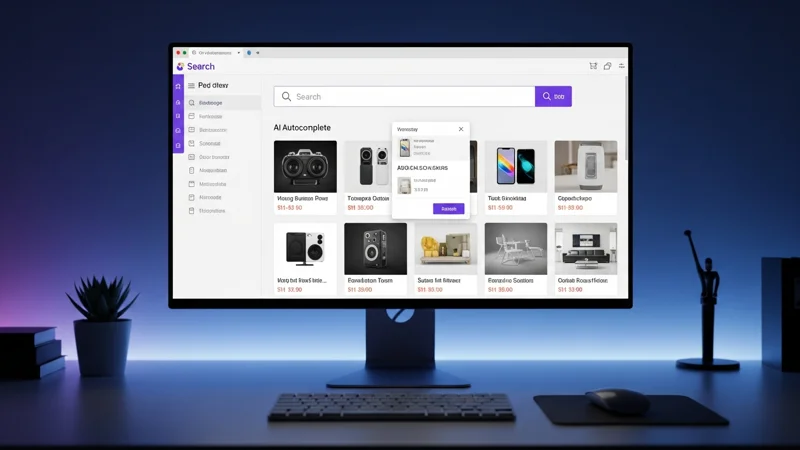

The search bar is one of the most important tools in your online store. Shoppers who search are buyers: as the data in our article on why default search costs you sales shows, users who use internal search convert at two to three times the rate of those who browse categories alone. Yet many online stores still rely on basic search solutions that return irrelevant results, cannot handle typos, and ignore synonyms.
If you are evaluating an AI-powered search engine, this guide will help you make the right choice. For a comprehensive overview of how to optimize every aspect of internal search, also read our complete guide to ecommerce search optimization. We have identified seven essential criteria you should always verify before making a decision.
1. Speed and Performance
Search response time has a direct impact on user experience and, consequently, on conversions. Every millisecond counts: according to Google, a 100 ms increase in load time can reduce the conversion rate by up to 1%.
A good AI search engine should return results in under 50 milliseconds. This means the user perceives the search as instantaneous, with no visible delay between typing and seeing suggestions.
What to check
- Ask the provider for the average response time (p50 and p99).
- Check whether those times refer to server-side processing only or include network latency as well.
- Verify where the servers are located: geographic proximity to your customers affects perceived speed.
2. Typo Tolerance and NLP Capabilities
Users type quickly, especially on mobile. Typos, abbreviations, and natural language queries are the norm, not the exception. A modern search engine must understand the user's intent, not just the exact words typed.
Key features to look for
- Typo tolerance: "runnign shoes" should find "running shoes".
- Synonym handling: "hoodie" and "sweatshirt" should return the same products.
- Natural language understanding: "red women's shoes under 50 euros" should be interpreted correctly.
- SKU and attribute search: many B2B customers search directly by product code.
3. Platform Compatibility
Not all search engines integrate the same way with every e-commerce platform. There are two main approaches:
- Native plugins: ready-to-use modules for platforms like PrestaShop, WooCommerce, or Magento. Installation takes just a few minutes and does not require a developer.
- API integration: more flexible, but requires custom development. Ideal for headless platforms or proprietary solutions.
If you manage your store without a dedicated technical team, a native plugin is almost always the best choice. Make sure the plugin is actively maintained and compatible with the latest version of your platform.
4. Pricing Model Transparency
The cost of a search engine can vary enormously depending on the pricing model used. The three most common models are (we analyse them in detail in our pricing model comparison):
- Per product: you pay based on catalogue size. This is the most predictable model.
- Per request: you pay for every query made. Costs can escalate quickly during peak traffic periods.
- Per pageview: you pay based on total site traffic. This penalises growth.
What to check
Always check whether there are hidden overage charges, whether the price includes all features or some are reserved for higher tiers, and whether a free trial period is available.
5. Multilingual Support
If you sell in multiple markets or your store is available in several languages, the search engine must handle each language correctly. Translating the interface is not enough: the algorithm must understand the linguistic nuances of each language, including synonyms, grammar, and inflected forms.
What to check
- How many languages are natively supported.
- Whether the search correctly handles special characters and accents.
- Whether you can configure custom synonyms and rules for each language.
6. Analytics and Insights
An intelligent search engine is not just a tool for finding products: it is also a goldmine of data on your customers' behaviour. You should have access to an analytics dashboard showing:
- Most frequent searches: what are your customers looking for most?
- Zero-result searches: are you losing sales because your catalogue does not cover certain queries? Or because the search cannot find products that actually exist?
- Click-through and conversion rates: which searches actually lead to a purchase?
This data lets you optimise your catalogue, improve product descriptions, and make merchandising decisions based on hard evidence.
7. Security and Regulatory Compliance
In Europe, GDPR compliance is not optional. When you choose an external search engine, you are sharing your catalogue data and potentially your users' behavioural data with a third-party service.
What to check
- Where data is hosted: EU-based servers are strongly preferred for both compliance and latency.
- DPA (Data Processing Agreement): the provider must offer a GDPR-compliant data processing agreement.
- Encryption: data must be encrypted both in transit (HTTPS) and at rest.
- Data access: who can access your catalogue data? Is it used to train shared models?
Quick Evaluation Checklist
Before making a decision, use this checklist to compare the solutions you are evaluating:
- Average response time under 50 ms
- Typo tolerance and synonym handling
- Native plugin for your platform (or a well-documented API)
- Transparent and predictable pricing model
- Support for all the languages in your store
- Analytics dashboard with zero-result searches
- Data hosted within the European Union
- DPA and GDPR compliance
Tip: always request a free trial and test the search with real queries from your customers. Provider benchmarks are useful, but nothing replaces testing on your own catalogue.
Choosing the right search engine is an investment that pays for itself quickly. With the seven criteria in this guide, you have all the tools you need to make an informed evaluation and find the solution that best fits your e-commerce store.
Frequently Asked Questions
The seven essential criteria are: response speed, NLP quality, availability of native plugins for your platform, transparent pricing model, GDPR compliance, analytics dashboard, and multilingual support.
Results should appear in under 200 milliseconds. Longer times increase abandonment rates and worsen user experience, especially on mobile devices.
It depends on the provider. It is essential to verify that data is hosted in Europe, not shared with third parties to train AI models, and that a compliant DPA (Data Processing Agreement) exists.